Table of Contents
Upgrading to Authlete 3.0 cannot be done directly to the running Authlete 2.3 instance. Instead, a new Authlete 3.0 environment is created and all configuration, services and clients need to be migrated over to the new Authlete 3.0 environment.
During services and clients migration, optionally access tokens can also be migrated via the token-migration service. This is a new service introduced to handle token copying and updating from the Authlete 2.3 environment into the Authlete 3.0 environment which will allow existing tokens issued in the Authlete 2.3 environment to be valid and usable in the new Authlete 3.0 environment.
The general upgrade path is as follows:
Import/Migrate feature, import the appropriate service(s) and client(s) into this organizationNote : The token migration tool only has read access to the source DB and is therefore unable to alter data of any kind
Organization Settings > Basic Settings > Import/MigrateYour Account page)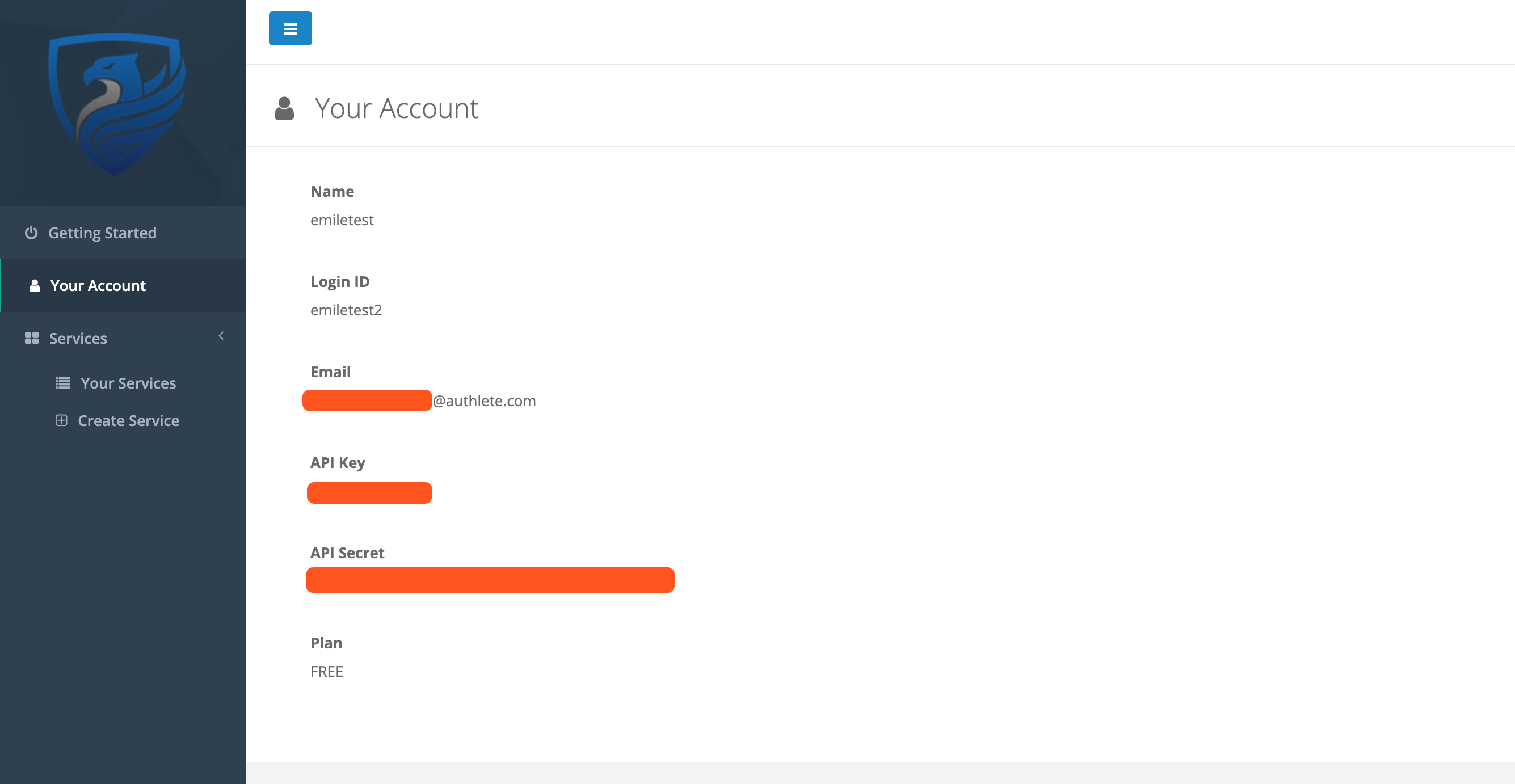
Continue
token-migrator tool, tick the Synchronize Client Tokens and Migrate Client Secrets checkboxes. This will ensure clients belonging to the service are detected, and their tokens and/or secrets are migrated to the 3.0 environment. This property can also be updated individually per client after the import, under Client Settings > Basic Settings > Advanced > Migration Settings.Select cluster dropdown to choose a cluster under which to migrate services
ContinueImport on the confirmation screen
Token migration is optional but will allow previously issued tokens from the Authlete 2.3 environment to be usable and valid in the new Authlete 3.0 environment.
The token migrator service will copy access tokens from the Authlete 2.3 environment into the Authlete 3.0 environment. When running, it will be polling the Authlete 2.3 environment for new tokens or token updates and propagate these into the Authlete 3.0 environment. Tokens will only be copied for clients who exist in both the Authlete 2.3 and Authlete 3.0 environment and for clients that have the Synchronize Client Tokens setting enabled.
It’s important to note that this task may take some time depending on the amount of data that is eligible for migration. As of current, it takes on average 60 minutes to migrate 1,000,000 tokens. Note that for clients with large amounts of tokens, there may be a delay as to when these tokens will become available in the Authlete 3.0 environment. Delay may also occur in Authlete shared environments as the platform is available for other users who may be migrating tokens at the same time. Token migration progress can be viewed in the organization’s audit logs indicating the amount of created and updated tokens within a rolling 4 hour time window.
Once the migration is complete, you can verify that your tokens have been properly migrated and are valid by using the token introspection endpoint on 3.0 (POST /api/{serviceId}/auth/introspection) and if direct database access is available in self-managed environments, by comparing token counts per client/service in both the source and destintation databases.
There are specific requirements that need to be met by clients in both the source and destination system in order for the token migrator to correctly identify that they are matching clients and should have their tokens migrated. The requirements are strict to ensure that a client’s secrets are migrated to the correct client in the destination system. The following conditions must be met for both clients (the one that exists in the source system and the one that exists in the destination system) :
clientId value must match - clientIdAlias is ignoredserviceId (api_key) that both clients exist in must be the same in both systemsSynchronize Client Tokens setting enabled
Client Settings > Basic Settings > Advanced > Migration SettingsclientSecret value must match
/api/<service-id>/client/secret/update/<client-id> to update the client secret of a specific clientAny applications that are communicating with the Authlete 2.3 environment need to be updated to point to the new Authlete 3.0 environment.
The changes required vary depending on your setup but this could include:
We can provide guidance on hard cutover approaches (which require downtime) along with a slow cutover approach that can be used to achieve zero downtime during the migration period.
This approach still requires changes to your authentication applications. But a hard cutover will need to be performed to switch from the Authlete 2.3 environment to the Authlete 3.0 environment.
For this approach, there are two options which mainly depends on the amount of tokens that need to be migrated along with how much capacity for downtime of your own service that can be tolerated:
token-migration service will be startedtoken-migration is completetoken-migration servicetoken-migration serviceThis approach requires changes to your authentication applications prior to the migration/upgrade to Authlete 3.0, but the Authlete 3.0 environment must be available. Our sample implementation of an oauth server is available in the following repository: https://github.com/authlete/java-oauth-server-migration.
The approach we have implemented involves changing the authorization server to connect to both the Authlete 3.0 (primary) server and the Authlete 2.3 (secondary) server. Incoming calls are by default delegated to the primary first and depending on its response (or whether it is a 3.0 only endpoint feature) will determine whether the response from the primary is returned or whether the request is delegated to the secondary API instead.
These application changes should be deployed before you start the migration of services and clients into the Authlete 3.0 environment.
While the token-migration service is running in the background and tokens are becoming available in the Authlete 3.0 environment, the primary API will be able to handle more and more of the incoming requests.
Once all tokens are copied/updated in the Authlete 3.0 environment then all of the incoming calls to your application would be delegated and handled by the Authlete 3.0 environment. At this time, the migration is complete, no other token changes should be occurring in the Authlete 2.3 environment and all calls will be using the latest Authlete 3.0 environment.
As of current, token migration is only possible between Authlete 2.3, and the latest Authlete 3.0 patch version, for the same deployment model and region. We are however planning to support migrating tokens from a shared cluster to a dedicated cluster in the near future, as well as providing detailed documentation on how to run the migration on self-managed environments.
If you wish to migrate to Authlete 3.0, but aren’t currently using Authlete 2.3, please contact our support team so we can assist you in the process to upgrade your environment.
A: You can check the migration progress in real time by refreshing the dedicated log entry in the organization audit logs.
A: You can do so by ticking the Migrate Client Secrets checkbox when migrating your service configuration. Otherwise, the client secret will be randomly generated.
A: Using the new Synchronize Client Tokens flag in the UI, you can selectively mark the client as “in scope” for token migration and only their tokens will be migrated. This will allow you to test the end to end migration process at a smaller scale.
A: Token changes and new token creation events are polled by the token-migrator service for the configured clients, and upon detecting these events the respective tokens are updated/created in the destination database.


